Trade
💰 MuWar Market System & Off-Trade Guide
The Market System allows players to trade items for valuable currencies and jewels, making it easier to manage resources and sell rare loot efficiently.
Available Trade Options
- 💰Zen
- 💰WCoinC
- Jewel of Bless
- Jewel of Soul
- Jewel of Chaos
Important: The Market System works only in sub-PvP maps, specifically in Devias safe zone. Make sure you are in the correct area before opening your store.
🛠 How to Use the Market System
-
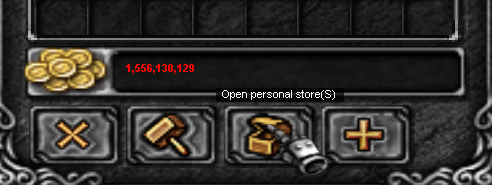
Open your inventory and click on 'Open Personal Store' to prepare your items for sale.
-
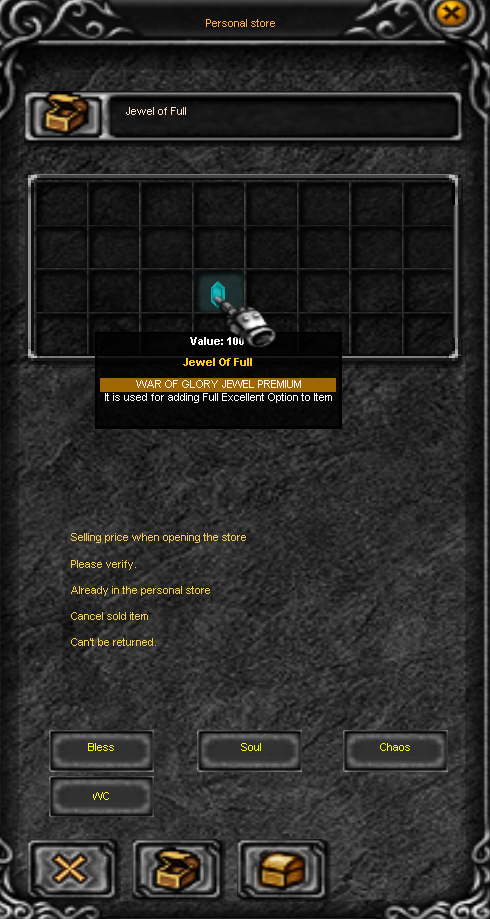
Select the items you wish to sell (example: Jewel of Full), set the selling price (example: 100), and confirm. Don’t forget to name your shop for easy identification by other players.
-
Choose the currency type for your sale: Bless, Soul, Chaos, or 💰WCoinC. Once ready, open your shop!
To use the OFF-TRADE system, click the 'OFF STORE' button. Your character will disconnect from the map temporarily, but your shop and items will remain active for other players to access.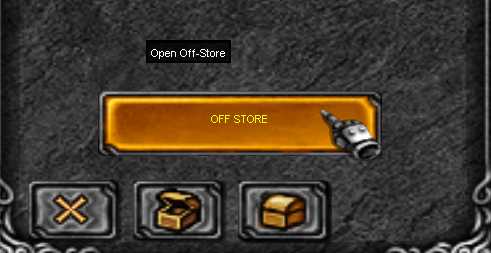
💡 Tip: Using the OFF-TRADE system allows you to remain safe while your store continues to operate, maximizing your trading efficiency even when you are away from the keyboard.
 Loading...